
|
|
SUBSIM: The Web's #1 resource for all submarine & naval simulations since 1997
|
SUBSIM: The Web's #1 resource for all submarine & naval simulations since 1997 |
 02-10-12, 07:40 PM
|
#1 |
|
Ace of the deep .

Join Date: Jan 2006
Posts: 9,226
Downloads: 901
Uploads: 73
|
 [INF] sobers Subsim Bonus Mega Mod All In One 1421 20072017
sobers Installation videos
IMPORTANT INSTRUCTIONS MUST BE READ FIRST Thank you for choosing my Mega Mod as your Bonus Mods choice. Please note that there is currently a problem with the Turning Point Campaign and should not be played until further notice. Please make sure that you take the time to read all the documentation as it is essential to get your game installed and working properly. Antilag has been included for those who have lower PC or Laptop system specifications. The Download Zip File contains 16 items.  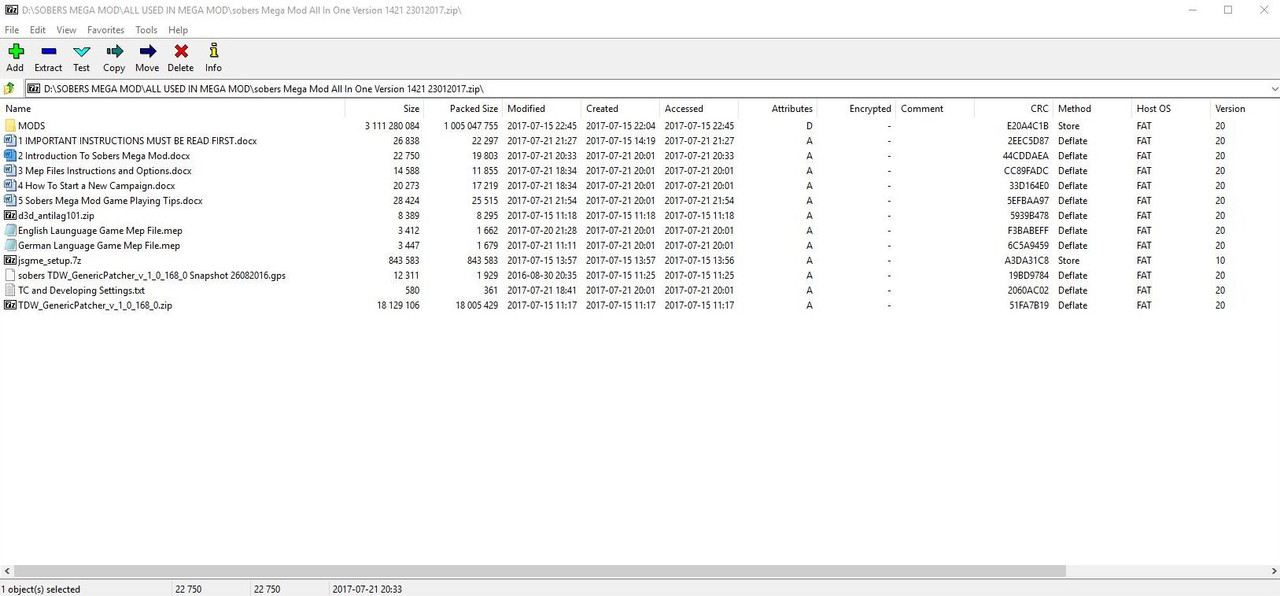 My recommendation is to download the Zip File to the Ubisoft Folder behind your Main Game Folder. Typical path C:\Ubisoft\Silent Hunter 5 Press the Extract Tab and you will be able to access everything easily from the Ubisoft Folder. Item 1 > MODS Folder > Contains all the mods you need for my Mega Mod. Item 2 > Document 1 > IMPORTANT INFORMATION MUST BE READ FIRST. Item 3 > Document 2 > Introduction to Sobers Mega Mod. Item 4 > Document 3 > Mep Files Instructions and Options. This document will explain how to use the Mep File Options and the various combinations. Item 5 > Document 4 > Sobers Mega Mod Game Playing Tips. Gaming tips and lots of useful information. Item 6 > Document 5 > How to Start A New Campaign. This document contains the essential information you need to get your game up and running successfully. Item 7 > Application > Antilag. A useful Application for those players who have a low specification GPU. This Application comes with documentation and will allow you to set the frame rates. Item 8 > Picture of “Developing”  Item 9 > English Language Mep File. Item 10 > German Language Mep File. Item 11 > Application > JSGME. Essential Application when using Mods. Item 12 > “silentotto” picture. 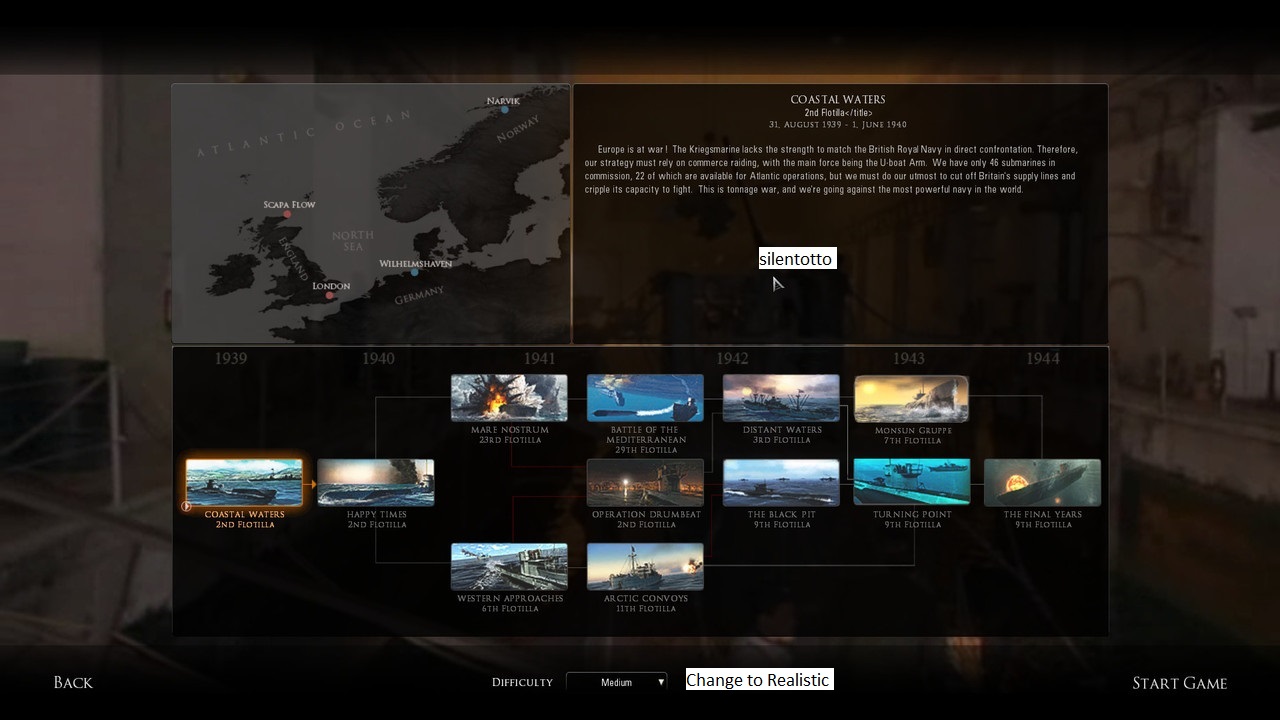 Item 13 > gps File > An Essential Patched File for TDW’s Genericc Patcher setup for my Mega Mod. Copy and Paste into the Snapshot Folder. The exe Patcher has been patched to Disable the Uplay Browser. Item 14 > Text Document > Note Pad > Contains the TC Settings and Developing Settings needed for my Mega Mod. Copy and Paste the TC Settings over the Default Settings. Path is > C:\Documents\SH5\data\cfg\Main cfg File. [TIME COMPRESSION] ; The first value is the default one, the second value is used when 'travel mode' is activated. ; The two values should be separated by a comma. ; If only one value is specified, that value is used for both default and travel mode. TimeStop=0 RealTime=1 LandProximity=1,256 CriticalDamage=1 CrewEfficiency=128 AirEnemyDetected=1 SoundEffects=4 CharacterAnim=32 FriendDetected=256 EnemyDetected=256 RadioReport=256 Particles=32 PrayState=1 HunterState=1 3DRender=256 Maximum=256 Item 15 > Application > TDW’s Generic Patcher. Essential Application that removes the bugs and glitches from SH5 and my Mega Mod cannot be played without it. Item 16 > Picture of “Time Compression” Settings. 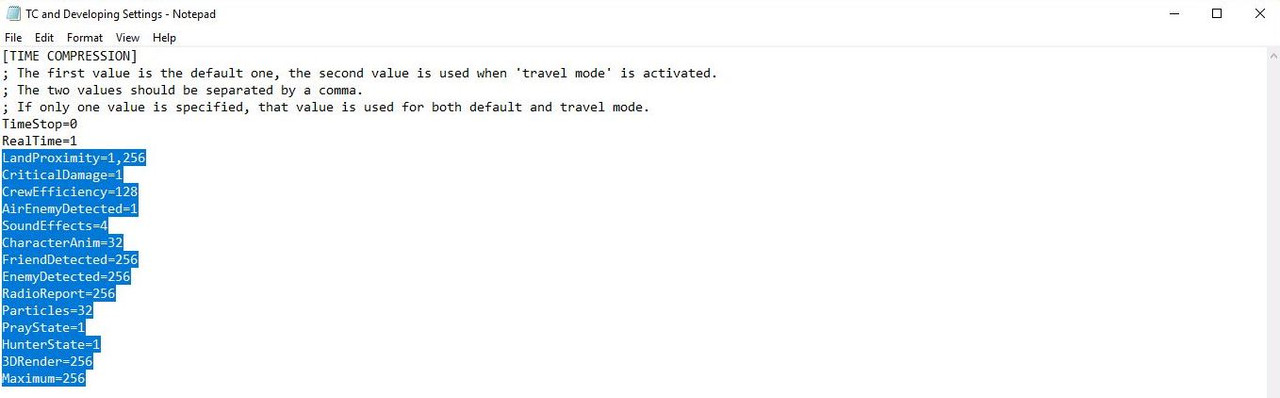 Important Notes. Note 1. Please visit the Sober Thread on Subsim where you can find more information to help you as well as YouTube Instructional Videos. Sobers All In One Bonus Mega Mod 1421 20072017 Note 2. My Mega Mod is only available as a Subsim Bonus Mod to those who have made a Contribution to Subsim. Note 3. This Mega Mod is not STEAM compatible without using a STEAM conversion. The STEAM Conversion Tutorial can be found on THEBERBSTERS SH5 tutorial thread. Post #161 TDW’s Generic File Patcher Steam Installation Instructions By sirrawsrsalot > Updated Version Note 4. This Mega Mod must be installed on a Fresh/New SH5 installation. Note 5. Make sure you have used the Game Updater. Silent Hunter 5\Ubisoft\Support\GameUpdater as the game has to be patched to Version 1.2. Note 6. A 2gb video card or more is recommended. Note 7. There are YouTube Tutorials available to help you including > How To Install The Snorkel. Note 8. Installation instructions for the Generic Patcher can be found on THEBERBSTERS SH5 Tutorial Thread. Post #2 Installing TDW's Generic File Patcher Part 1 Note 9. Installation instructions for the Options File Editor Viewer can be found on THEBERBSTERS SH5 Tutorial Thread. Post #6 TDW's Option File Editor Viewer Installing It Correctly > Pictorial Enjoy and Happy Hunting. Sober Last edited by THEBERBSTER; 01-16-19 at 11:32 AM. Reason: turning Point Camapign problem |

|

|
|
02-10-12, 07:40 PM
|
#2 |
|
Ace of the deep .
Join Date: Jan 2006
Posts: 9,226
Downloads: 901
Uploads: 73
|
An Introduction To Sobers Subsim Bonus All In One mega Mod 1421020072017.
For those of you who like to play with Auto TDC I have added some additional information in the Blue section towards the bottom of this post. Sobers Mega Mod has to be played as separate Campaigns. This is to simulate new crew and you get a lot of points for Sinking Ships to enable you to build up their skills. My Mega Mod now includes vdr1981 No Tonnage Bar Free Roam Mod. All missions are Date Based, NOT Tonnage Based. You cannot have a Continuous Career with my Mega Mod as it has been designed to be played in different Campaigns by using “silentotto” If you want to run a Career Campaign type of game then you need to use the excellent ‘The Wolves Of Steel’ Mega Mod by vdr1981. You will notice quite a few intentional differences than you are used to if you have played Silent Hunter 5 before. I wanted a game as to how I wanted to play it, (modders prerogative) and I would like to share it with you. Please note that my Mega Mod is designed to be played in a New Campaign at “Realistic” which sets the Game Play Settings at 100% and using the Real Navigation Mod. Helpful Tips and Stuff you have to know or else! I wanted a Cleaner Hud rather than the conventional click or press and it is all done for you. Most things are done by giving orders to the Crew directly by clicking on their Avatar or by using the Officer Icons at the bottom of the screen. The game now starts with the VIIB U-Boat, this is essential for my mega mod to work correctly. Battery Gauges do not work in the VIIA U-Boat. All Gauges needed are found Inside the U-Boat. My object was Less Hud, use the Gauges, that is what they are there for. You still get occasional Fuel Updates etc., in the Message Box and.Blackboard. Picture 1 > Showing Standard Depth Control Icons > Decks Awash > Snorkel Depth > Dive  Picture 2 > Hud showing Advanced Depth Control. 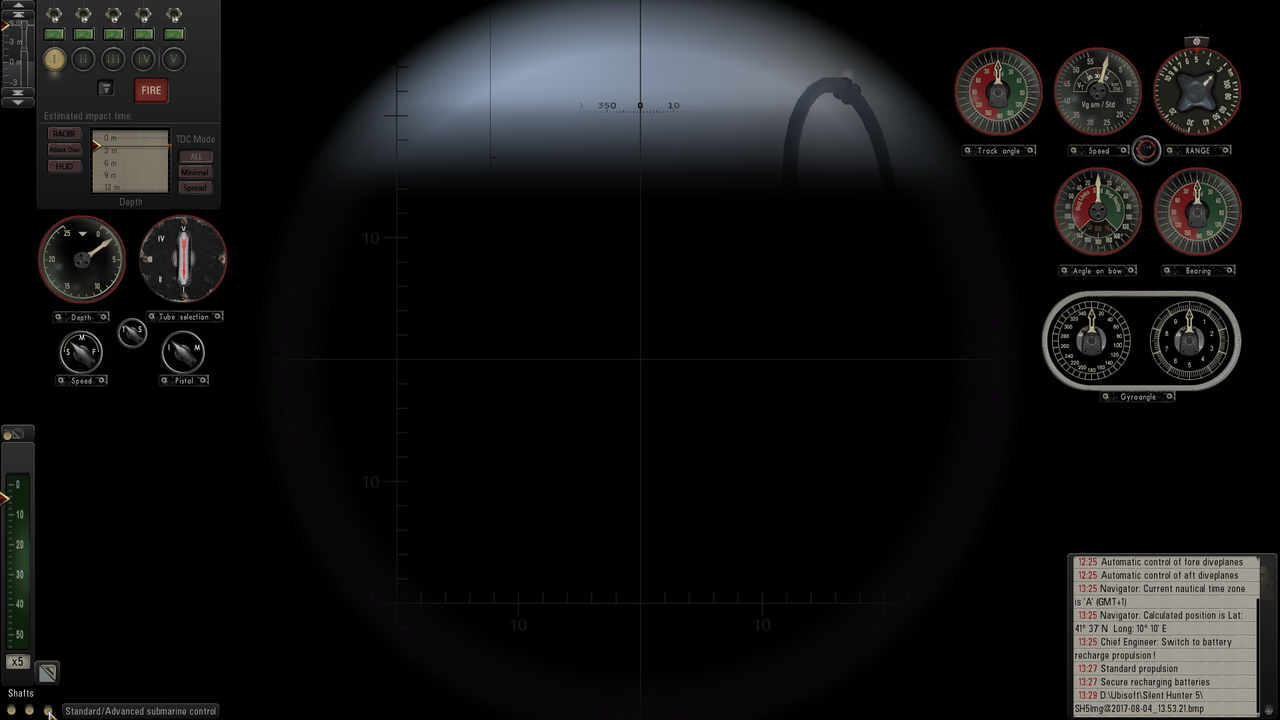 Clicking the Shortcut C key will bring up the Compass. Click on the Compass to Change Direction. Click on the Tab below the Compass to show the Rudder. Moving the Compass, to a New Position you need to find the sweet spot X and then you can drag it. Picture 3 > Shows the Compass Expanded. 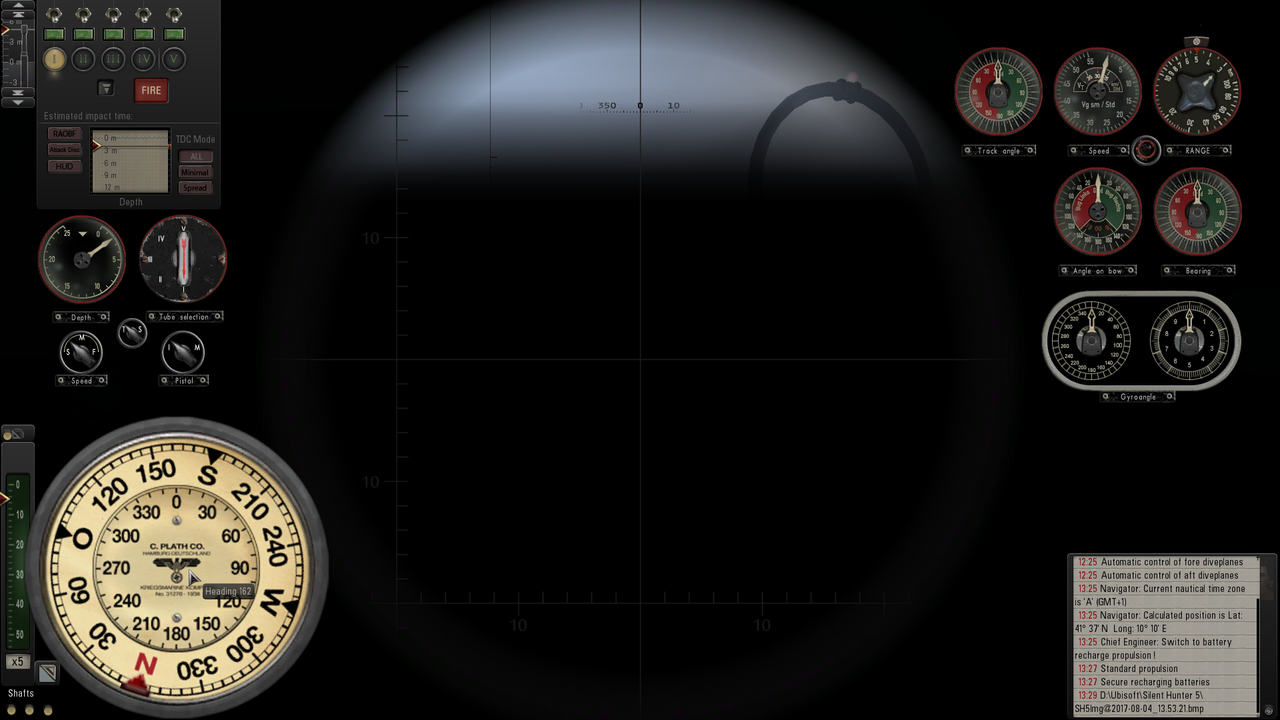 Click the Ctrl key to bring up the Depth Meter and Adjust Depth at any time.  Picture 4 > Conning Tower Gauges 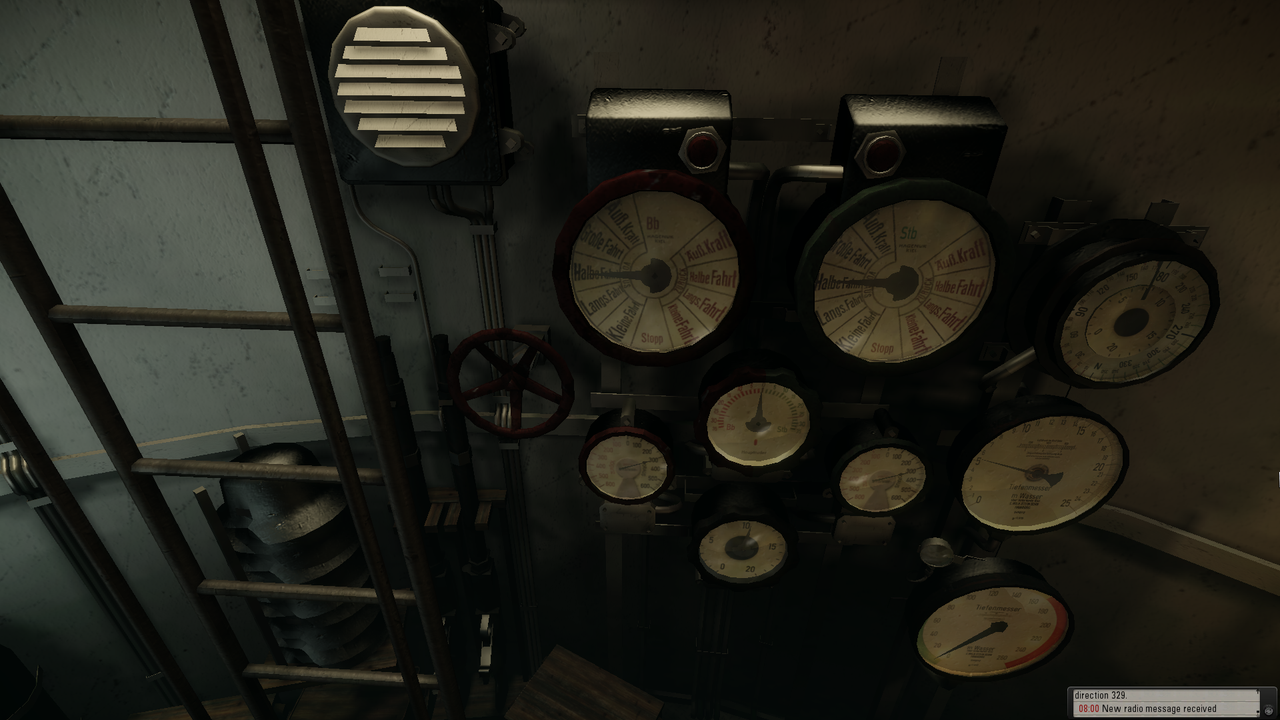 Picture 5 > Conning Tower Showing The Speed Dial Above The Curser 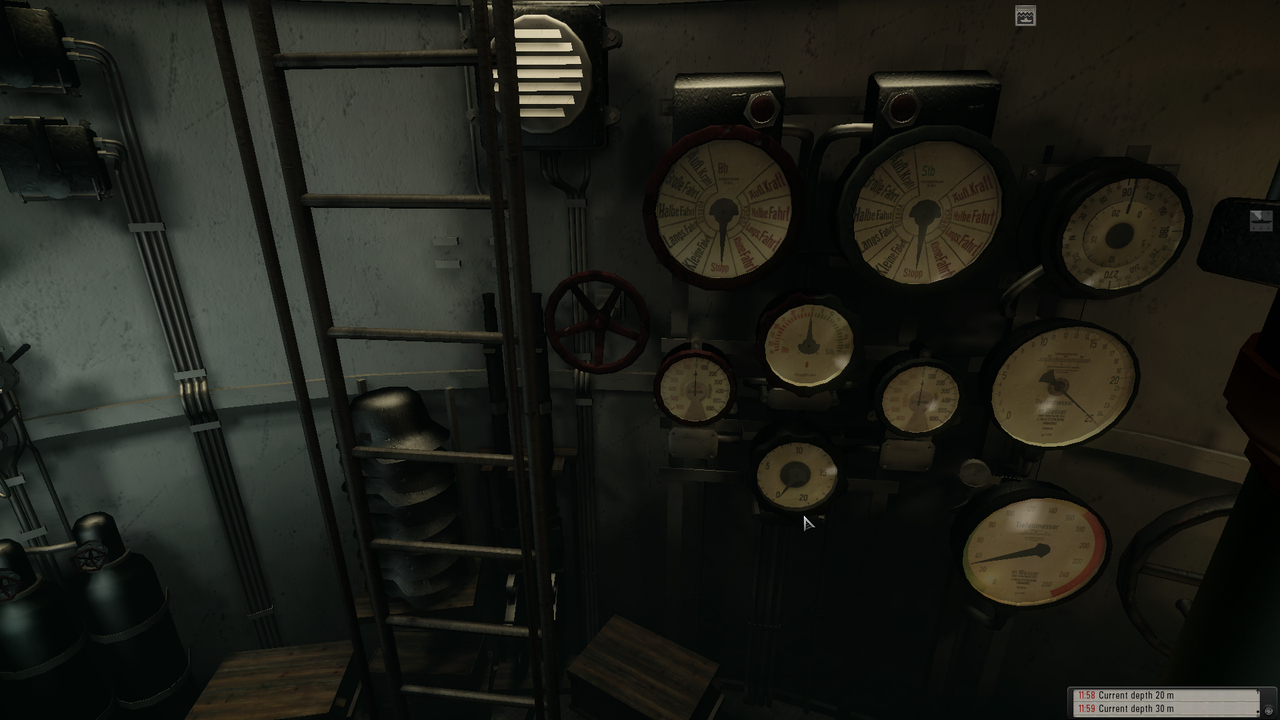 Picture 6 > Command Room Gauges 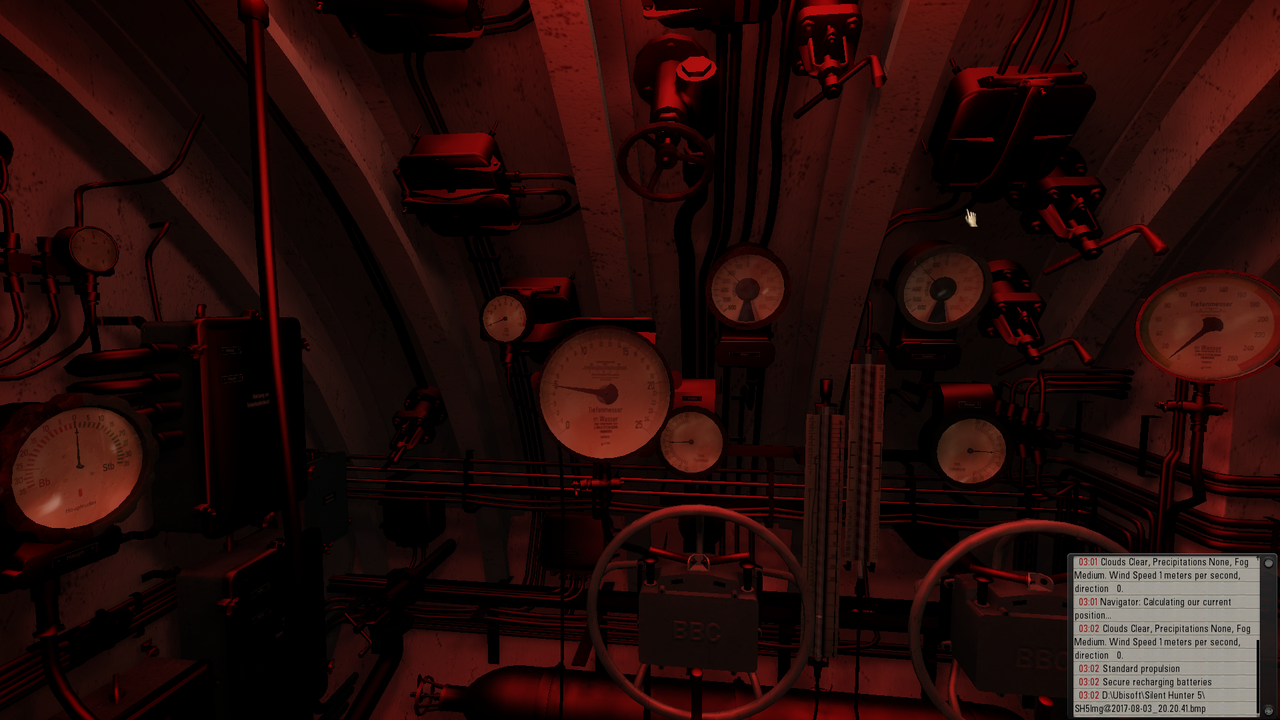 Picture 7 > Dive Plane Gauges Changed from Automatic to Manual is replicated on the Command Room Dive Plane Gauges.  Picture 8 > Command Room Battery Gauges 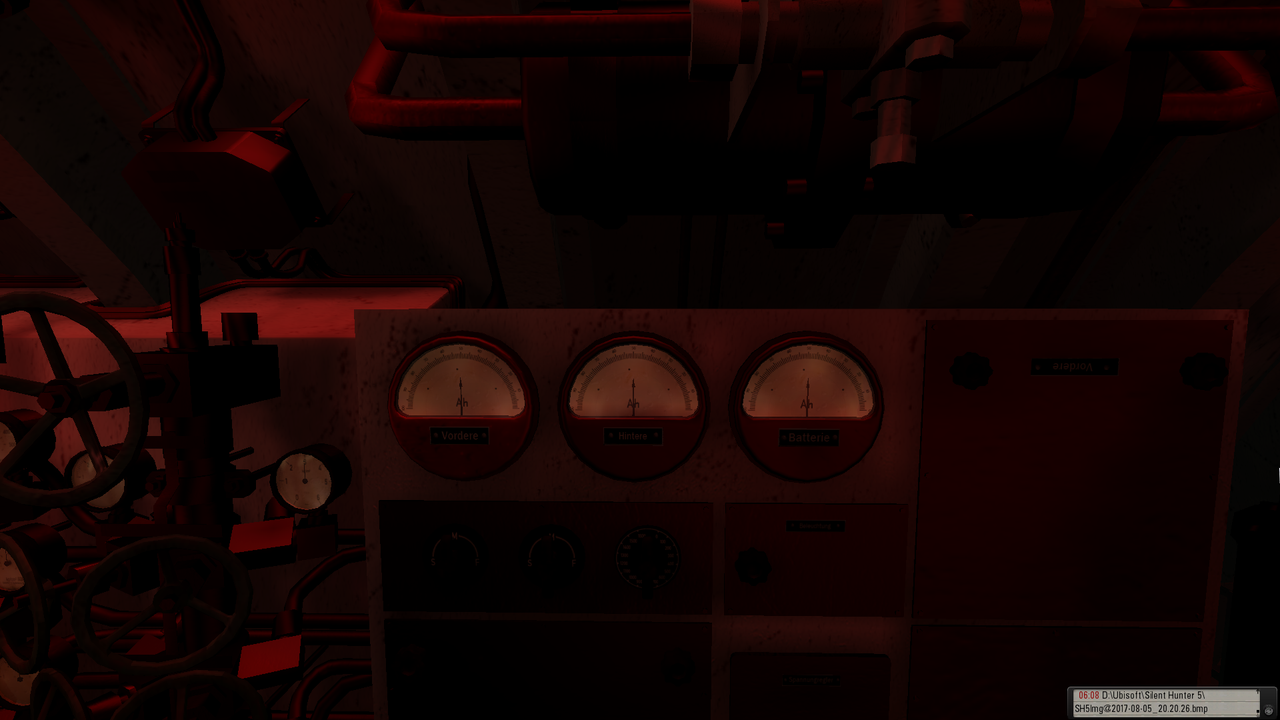 Picture 9 > CO2 is in the Command Room to the Left of the Helmsmens Tiefenmesser 25 Meter Gauge. 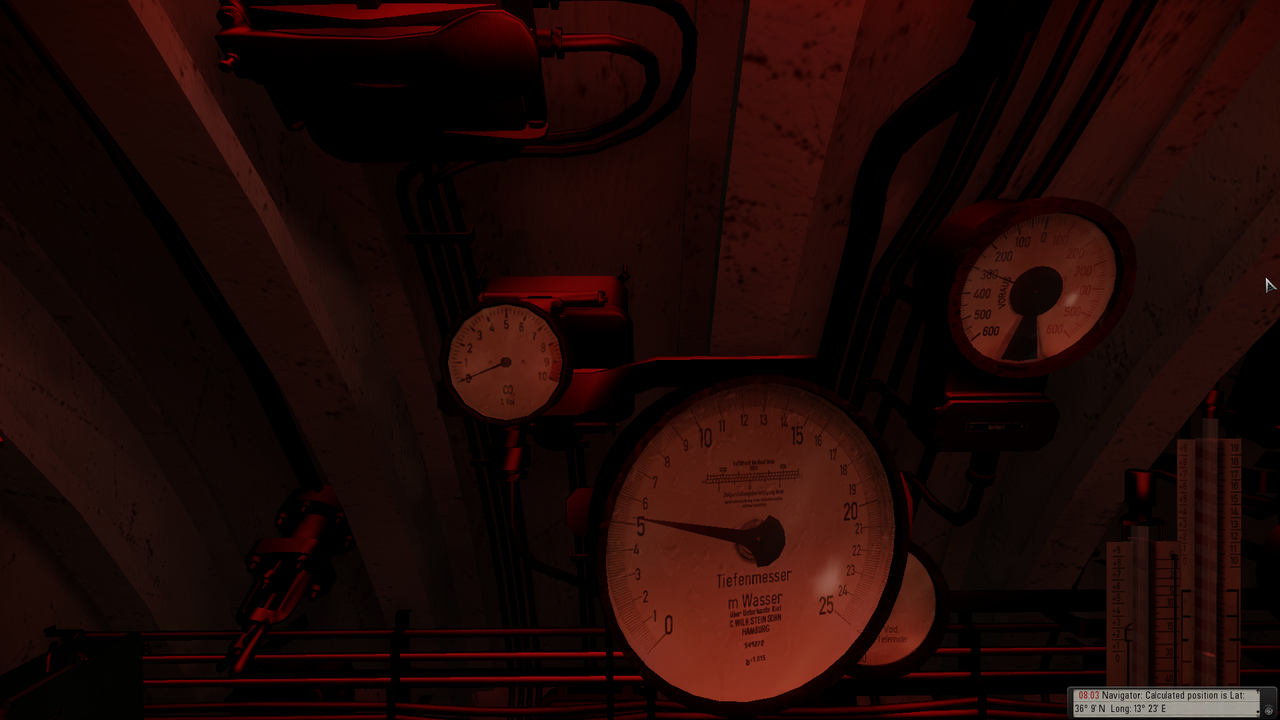 Picture 10 > Compressed Air is also in the Command Room above the mouse curser. 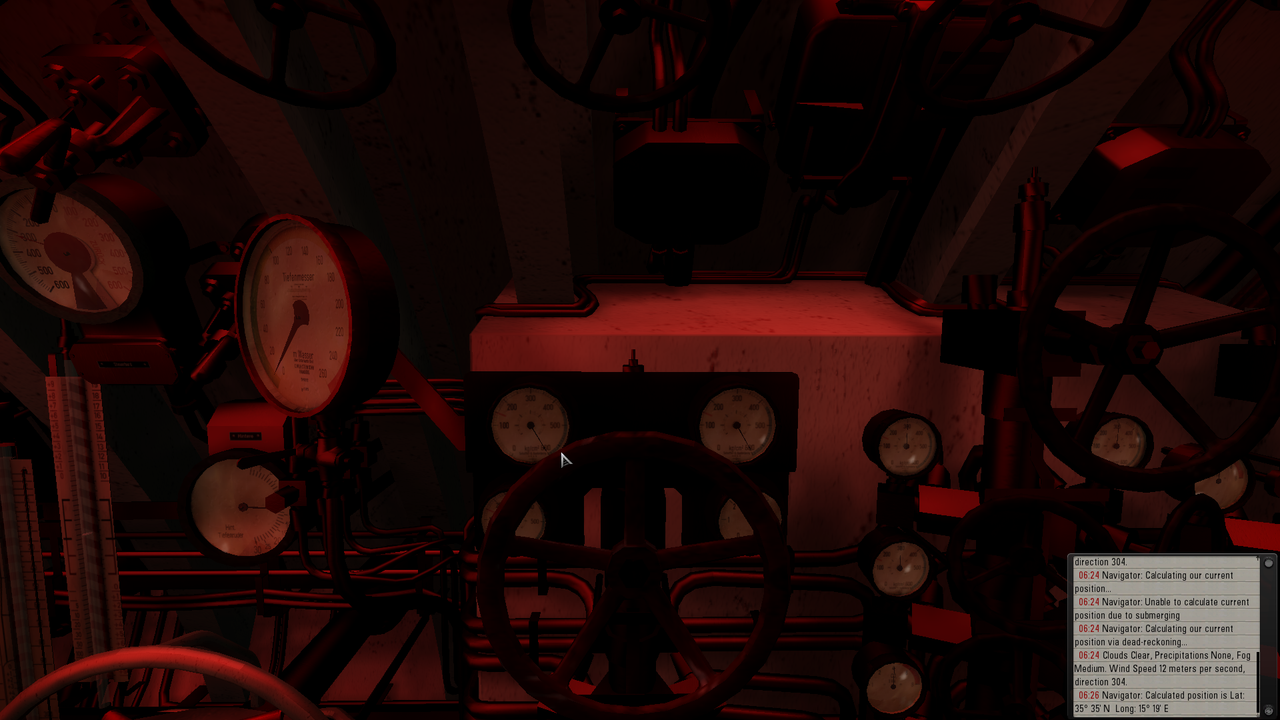 Picture 11 > Fuel is in the Engine Room. 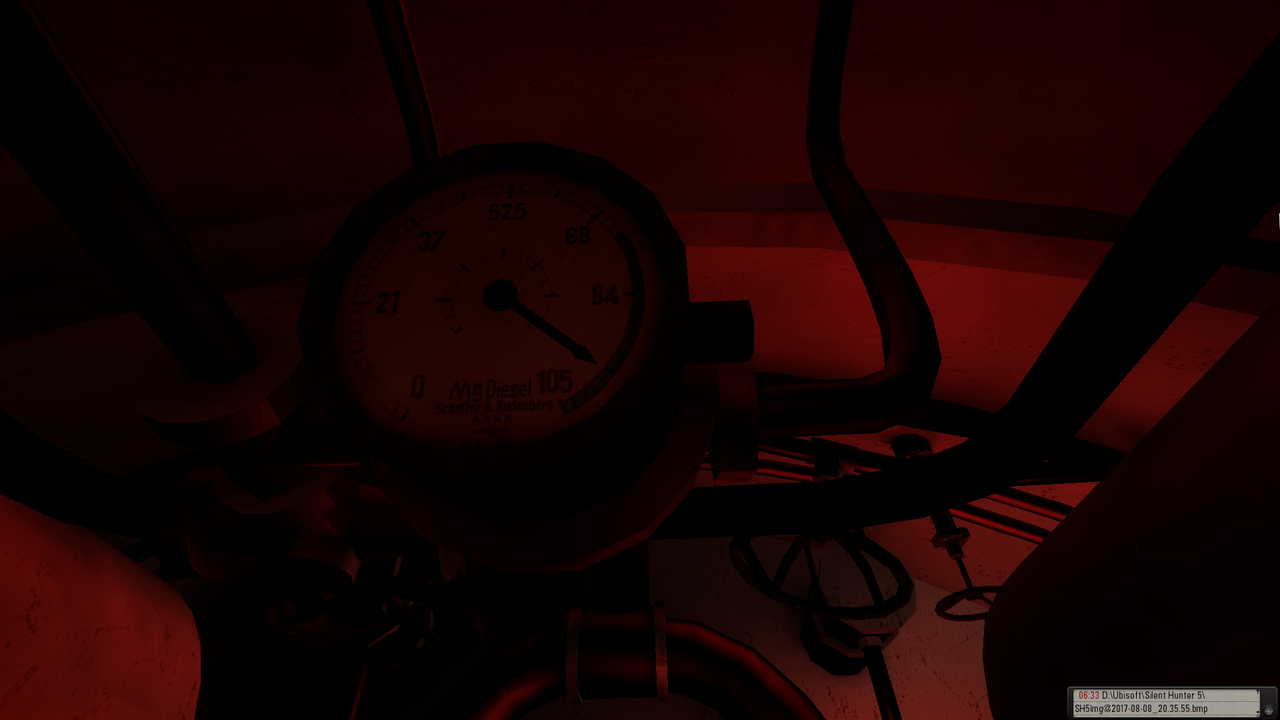  Picture 12 > Stern Gauges Battery Room. 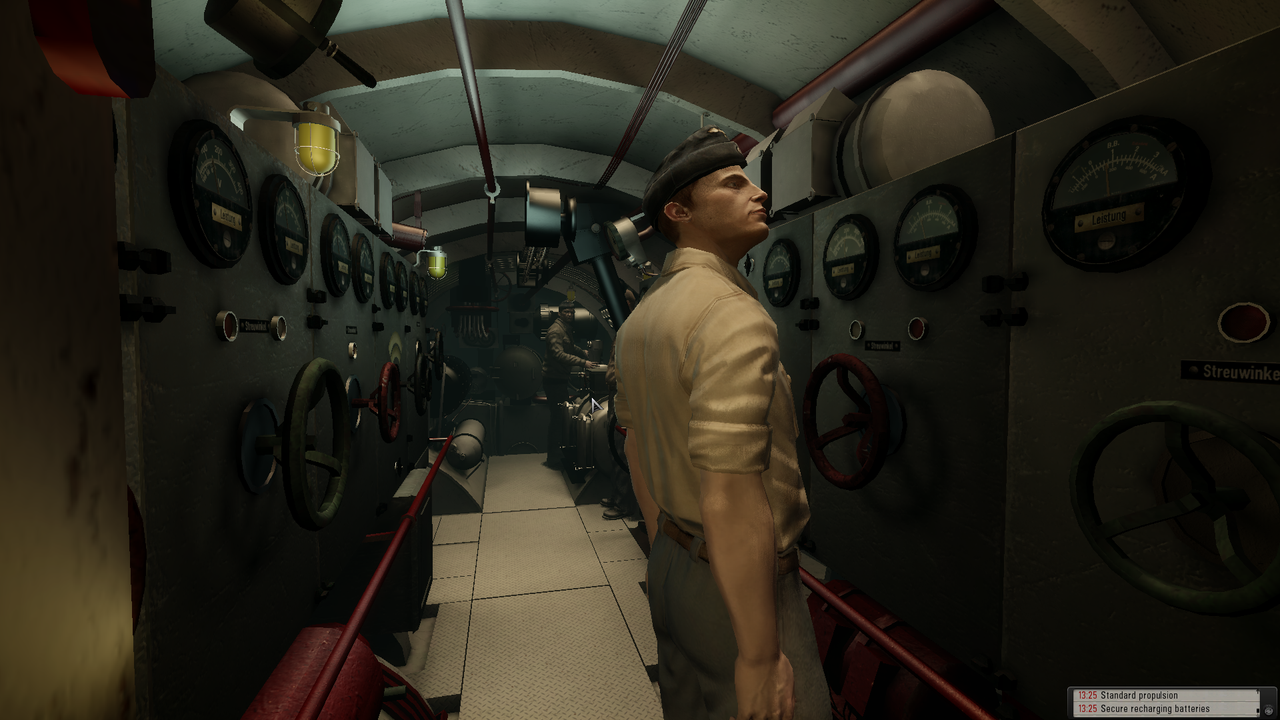 U-Boat Speed. The quickest way to find your Speed is to use the Teleport Bar Shortcut Key ‘T’ and Teleport to the Hydrophone/Sonar Station where you will find the Speed Dial on the wall above the Hydrophone. Picture 13 > Speed Dial in Sonar Staion showing 7 knots.   Press Shift+B to bring up the Blackboard. The Blackboard contains critical information you need like Moon Phase, Sunrise and Sunset etc. Picture 14 > Blackboard  Decks Awash. When at Decks Awash you must Submerge or Dive next. Do not order Surface if at Decks Awash. Do not order Reverse while at Decks Awash or your U-Boat will flood. Game Objective. The main idea of my Mega Mod is to Upgrade The Crew as much as possible and stay alive until the Current Campaign ends. You get Skill Upgrade Points for Sinking Ships. The Scapa Mission is good for getting these points. Why are the Campaigns not Linked? I did not want linked campaigns because i think it is more realistic to start with a Fresh Crew every time and try to get Skill Points to Upgrade them. That is the premise of my Mega Mod. No Campaign Fixes needed and No Uplay needed. This is Disabled in TDW’s Generic Patcher with the Uplay Patch Disabled). Please note that you cannot make changes to the Generic Patcher with my Mega Mod. Diving Method 1 Its best to work out which is the best diving method that suites your game play. Do i click on the Watch Officer and order Flank Speed? While going down the Hatch Ladder I also click on the Dive Button? Now I go to the Navigator and order a Depth Report. Press the Ctrl key and click on a Submerge Level? Diving Method 2 Alternatively i can climb down the Hatch Ladder and go straight to the Chief Engineer and order Flank Speed? Or do i order a Depth Reading first? Crew. Crew Abilities and Special Abilities are Disabled when the Crew are Injured or when the Crew has No Morale. Promotional Points for the Crew - Secondary Patrol Missions, Spy Infiltration etc... or ShipSunk_DefaultShip Event:RewardMorale (1.0); Event:RewardSkillPoint (3); ShipSunk_Destroyer Event:RewardMorale (2.0); Event:RewardSkillPoint (6); ShipSunk_Battleship Event:RewardMorale (3.0); Event:RewardSkillPoint (9); Crew Orders. (See Post #6) You will find on each Crew Member Additional Orders. Some orders normally found on the Officers Bar at the bottom of the screen have been removed. This makes for a more personal experience as Captain by having to Interact with your Crew to give the necessary orders. Equipment Equipment is available normally by Historical Date except for those bought with Renown Points. Renown Points can be used or saved anytime you are in the Bunker before starting a New Mission. If you do not have any Renown Points for early access then they will be available by Historical Date. Earning Points for New Equipment. By the Number of Ships Sunk or Amount of Tonnage from anywhere in the world. Being offered a New U-Boat Upgrade. Rating Points gained by Sinking Capital Ships and Tankers anywhere in the world. Awarded Medals by Overall Tonnage and Sinkings Capital Ships. Get To Know Your Boat. The best time to practise and get used to my Mega Mod is to use the Baltic Operation. From Memel to your Baltic Operation Area you will have plenty of time to run through all the different procedures. Visibility Level plays a big part in my Mega Mod. The Gamma Setting must be kept at the default halfway level. If it is too dark then you should decide if you should wait for better light conditions. Press Shift+B Key to bring up the Moon Phases. Helpful when attacking in Scapa. Playing sobers mega mod without the “Real Navigation” mod While this mega mod has been designed to play with real navigation there is no reason why it cannot be adapted to be played with “Auto TDC”, and/or “Manual targeting”. This tutorial will show you the basics and set you on the right path. Disable the “Real Navigation” mod in JSGME. TDW's Options File Editor Viewer (OFEV) Go to your main game folder then data/Applications Select the OptionsFilesEditorViewer (OFEV) Double click on the Mickey Mouse icon. Select your language by double clicking on it. Double click again on the Mickey Mouse icon. Open the File Tab. Click on “Set path to menu. txt” Look at the path showing and change it to show data/menu. Double click on the last item “menu.txt Open the File Tab again. Click on “Set SH5 install path” Find your main game folder click on it but do not open it. May look something like this: C Ubisoft Silent Hunter 5 Open the File Tab again. Click on the first “Open” Double click on the py file showing. The OFEV will open and show a row of Tabs. The “Snorkel” can only be enabled when in the “Bunker” This snorkel is mounted on the left side of the bridge and not on the Deck. The OFEV can be changed at any time you are at sea as long as the game is not being played. Opening each Tab will show you one or more patches which will allow you to personalize your game. Do not make changes for the sake of making them and if you do not understand what a patch does then it is best to leave it alone or ask. I will draw your attention to just a few patches which you may wish or need to change. HUD If you want to see the lower left “Essential Controls and “Top right hand side bars” then you need to disable both of these. Ships Journal Here you enter your Captain’s name and also your U-Boat number. TAI and NAV Maps These Map tabs will have “Minefields” enabled which you may wish to disable. XO TDC If you want to play with "AUTO TDC" then you will need to disable the last patch “Manual targeting enforced” Saving your changes When you have finished making changes go to “File” and select “Save” and your game will be updated for your next game play. AUTO TDC > Optional Time Compression Changes Path C:\Documents\SH5\CFG\CFG Main You may wish to speed up your TC as you will always know where you are in relation to what is around you. You will see that sober uses TC256, you can change these to read 512 without making your game unstable. Whether the game will accept TC1024 I will leave to you. Starting a New Career with AUTO TDC Enter your Captain’s new name. Next type “silentotto” into the empty space this will open all the campaigns. Select the “Campaign” you wish to do. Do not change the “Medium” realism setting. Start the game. When the game loads to the Bunker use the “ESC Key” and go to the “Main Menu”. Select “Options” and “Game Play Settings”. You can customize your settings but make sure the “Manual Targeting box is left unticked. Apply the changes and go back to the “Main Men”. Select “Save Game” and at the curser enter a save game reference and save the changes. Go back to the “Main Men” and select “Continue Campaign” You can now upgrade your boat, select the mission, and start the patrol. Last edited by THEBERBSTER; 01-27-19 at 06:53 AM. Reason: Added Auuto TDC information |
|
|
|
|
02-10-12, 07:41 PM
|
#3 |
|
Ace of the deep .
Join Date: Jan 2006
Posts: 9,226
Downloads: 901
Uploads: 73
|
Mep Files Instructions And Options.
Sobers Mega Mod Download comes with 2 Mep Files. English Language Mep File. sobers game loading tips V9 SH5 sobers mega mod half size trees sobers smoke screen V1 SH5 sobers more trees SH5 sobers mega mod key commands V2 FX_Update_0_0_22_ByTheDarkWraith FX_Update_0_0_22_Torpedoes (modified for torpedoes failure patches) NewUIs_TDC_7_5_0_ByTheDarkWraith NewUIs_TDC_7_5_0_alt_officer_wounded_by_Torpedo NewUIs_TDC_7_5_0_RadCapTools_0_2_alpha Large Optics for TDW UI for NewUIs_TDC_7_5_0 RadcapricornLarge Optics No Milliradian Scale Binoculars Large Optics for TDW UI RAOBF + Nomograph Fix Large Optics for TDW UI Range estimation Chart IRAI_0_0_41_ByTheDarkWraith sobers mega mod IRAI - Happy Times Environment 15 MOD sobers mega mod fog and clouds mod Equipment_Upgrades_Fix_v1_4_byTheBeast Equipment_Upgrades_Fix_v1_4_Patch_1 #Equipment_Upgrades_Fix_v1_4_Patch_1_HotFix Equipment_Upgrades_Fix_v1_4_Patch_1 (available by date) V9 by sober SteelViking's Interior Mod V1.2 SteelViking's Interior Mod V1.2.2 Patch Fuel Gauge WoGaDi_SteelViking's Interior OPEN HORIZONS II v2.5 sobers mega mod chimney smoke TWoS_New Imported Ships by vdr1981 SH5 External Cargo 1.0 OPEN HORIZONS II v2.5_TWoS Enhancement MQK Gradient_IO MQK LocationMaps_IO MQK ShapeTextures_NO sobers mega mod_TWoS Enh_sobersTerrainShips V3 OH II v2.5 Grid Request fix Patch SH5 OH II v2.5 Flag_Wind_Patch sobers mega mod_ObyShipwrecks_sobersTerrainV30 OHII v2.5 - No Stupid Tonnage Bar_Free Style Campaign v0.1_NewUIs v7.5.0 OHII v2.5 - Neutr.Nations in Allied Convoys_Temp.Fix II DefSide fix OHII v2.5 - Neutr.Nations Temp.Fix 2 OHII v2.5 - Convoys_Ships Enhancement_0.1.2 sobers mega mod VIIB campaign start mod v2 TF capital ships behavior_Testing v0.1.1 Ships sonar Fix For TWOS Z_Roster_Names.cfg FX_Update_22_ByTDW_HanSolo_sobers no resetting funnel smoke V2 Iron Crosses Disabled for No Tonnage Bar_Stock map_by Sober Wasserbomben_Soundfix_1.2_ESO R.S.D. - Reworked Submarine Damage v5.7.1 by vdr1981_Main mod R.S.D. v5.7.1 - Indestructible UZO patch R.S.D. & R.E.M. - GHG Hydrophone add-on (no hyd on surface) SH5_FW Coastal Defenses by Vecko & gap R.E.M_by_Xrundel_TheBeast_1.2 MightyFine Crew Mod 1.2.1 Alt faces MCCD_1.04_MFCM_1.2.1_compatible Reworked Morale and Abilities v.1.1 sobers mega mod reward points EMCCD v0.3.1 by archer9 Speech fixes and additions (english version) sobers mega mod TDWUserOptions_No Tonnage +Menu SH5 V34 sobers mega mod dead is dead_No Tonnage V17 AMMO_v1.0_SH5_by_Raven_2012 AOB slide ruller for TDW UIs and MO by stoianm EQuaTool 01.01 by AvM - Large Style Church's Compass Dials Mod v2.2 - Option Two MadMaxs_SH5_Subdiesel (mono) v2 gap - HD 1 deg Scope Bearing v 1.0 Patrolsearch autoscriptsV04 Trevally Automated Scripts v0.6 Trevally TDC Help v2 Trevally Tutorial - All v0.2(for OHIIv1.3) SOB_HUS_RPM Inertia autoscripts V2 SH5 Warfox deck crew always whispering SH5 German Version Water reflections intensity varied by available sunlight by TheDarkWraith WHF-FUC_We Have Flooding-Flooding Under Control_Fix sobers no footstep sound mod SH5 V2 sobers NO ship bow wave mod SH5 sobers realistic underwater FX10 SH5 sobers No bullet trasers SH5 sobers mega mod attack scope 1.5x V4 sobers hud sounds V1 SH5 sobers green crew training V4 SH5 sobers collision sound SH5 sobers Blackout lights V3 SH5 Shallow Waters Voice Be Gone sobers mega mod Texture mods NewUIs_TDC_7_5_0_Real_Navigation German Language Mep File sobers game loading tips V9 SH5 sobers mega mod half size trees sobers smoke screen V1 SH5 sobers more trees SH5 sobers mega mod key commands V2 FX_Update_0_0_22_ByTheDarkWraith FX_Update_0_0_22_Torpedoes (modified for torpedoes failure patches) NewUIs_TDC_7_5_0_ByTheDarkWraith NewUIs_TDC_7_5_0_alt_officer_wounded_by_Torpedo NewUIs_TDC_7_5_0_RadCapTools_0_2_alpha Large Optics for TDW UI for NewUIs_TDC_7_5_0 RadcapricornLarge Optics No Milliradian Scale Binoculars Large Optics for TDW UI RAOBF + Nomograph Fix Large Optics for TDW UI Range estimation Chart IRAI_0_0_41_ByTheDarkWraith sobers mega mod IRAI - Happy Times Environment 15 MOD sobers mega mod fog and clouds mod Equipment_Upgrades_Fix_v1_4_byTheBeast Equipment_Upgrades_Fix_v1_4_Patch_1 #Equipment_Upgrades_Fix_v1_4_Patch_1_HotFix Equipment_Upgrades_Fix_v1_4_Patch_1 (available by date) V9 by sober SteelViking's Interior Mod V1.2 SteelViking's Interior Mod V1.2.2 Patch Fuel Gauge WoGaDi_SteelViking's Interior OPEN HORIZONS II v2.5 sobers mega mod chimney smoke TWoS_New Imported Ships by vdr1981 SH5 External Cargo 1.0 OPEN HORIZONS II v2.5_TWoS Enhancement MQK Gradient_IO MQK LocationMaps_IO MQK ShapeTextures_NO sobers mega mod_TWoS Enh_sobersTerrainShips V3 OH II v2.5 Grid Request fix Patch SH5 OH II v2.5 Flag_Wind_Patch sobers mega mod_ObyShipwrecks_sobersTerrainV30 OHII v2.5 - No Stupid Tonnage Bar_Free Style Campaign v0.1_NewUIs v7.5.0 OHII v2.5 - Neutr.Nations in Allied Convoys_Temp.Fix II DefSide fix OHII v2.5 - Neutr.Nations Temp.Fix 2 OHII v2.5 - Convoys_Ships Enhancement_0.1.2 sobers mega mod VIIB campaign start mod v2 TF capital ships behavior_Testing v0.1.1 Ships sonar Fix For TWOS Z_Roster_Names.cfg FX_Update_22_ByTDW_HanSolo_sobers no resetting funnel smoke V2 Iron Crosses Disabled for No Tonnage Bar_Stock map_by Sober Wasserbomben_Soundfix_1.2_ESO R.S.D. - Reworked Submarine Damage v5.7.1 by vdr1981_Main mod R.S.D. v5.7.1 - Indestructible UZO patch R.S.D. & R.E.M. - GHG Hydrophone add-on (no hyd on surface) SH5_FW Coastal Defenses by Vecko & gap R.E.M_by_Xrundel_TheBeast_1.2 MightyFine Crew Mod 1.2.1 Alt faces MCCD_1.04_MFCM_1.2.1_compatible Reworked Morale and Abilities v.1.1 sobers mega mod reward points EMCCD v0.3.1 by archer9 Speech fixes and additions (german version) sobers mega mod TDWUserOptions_No Tonnage +Menu SH5 V34 sobers mega mod dead is dead_No Tonnage V17 AMMO_v1.0_SH5_by_Raven_2012 AOB slide ruller for TDW UIs and MO by stoianm EQuaTool 01.01 by AvM - Large Style Church's Compass Dials Mod v2.2 - Option Two MadMaxs_SH5_Subdiesel (mono) v2 gap - HD 1 deg Scope Bearing v 1.0 Patrolsearch autoscriptsV04 Trevally Automated Scripts v0.6 Trevally TDC Help v2 Trevally Tutorial - All v0.2(for OHIIv1.3) SOB_HUS_RPM Inertia autoscripts V2 SH5 Warfox deck crew always whispering SH5 German Version Water reflections intensity varied by available sunlight by TheDarkWraith WHF-FUC_We Have Flooding-Flooding Under Control_Fix sobers no footstep sound mod SH5 V2 sobers NO ship bow wave mod SH5 sobers realistic underwater FX10 SH5 sobers No bullet trasers SH5 sobers mega mod attack scope 1.5x V4 sobers hud sounds V1 SH5 sobers green crew training V4 SH5 sobers collision sound SH5 sobers Blackout lights V3 SH5 Shallow Waters Voice Be Gone sobers mega mod Texture mods German U-Boat Crew Language Pack NewUIs_TDC_7_5_0_Real_Navigation 1 new mod has been added to both Mep Files. sobers mega mod IRAI – Happy Times. Players who have the Default English Language who want all their game in English should select the English Mep File. Players who have the Default English Language who would like to have part of their game in German should select the German Mep File and Disable the German U-Boat Crew Language Pack Mod. Players who have the Default English language who could not install German Voices as it was not available where they bought their Download from should select the German Mep File. Note that orders given will be acknowledged in German but replies from the Radio Operator will be in English. Players who Installed the German Voices option from the DVD Custom Installation should select the German Mep File and Disable the German U-Boat Crew Language Pack Mod and Speech fixes and additions (german version) mod. “Experiment with the mod list but at your own risk” CREDITS A big thank you to All The Modders who have made My Mega Mod possible. A special thank you to vdr1981 for his excellent work on Silent Hunter 5 with his modding and helping me with some awesome mods. A special thank you to TheDarkWraith for his NewUIs_TDC_7_5_0_ByTheDarkWraith Test version 18 Mod. Real Navigation is the single best mod for any Silent Hunter game, it’s a game changer thanks to TheDarkWraith. A special thank you to Trevally for his excellent Open Horizons II v2.5 Campaign Mod. A special acknowledgement to THEBERBSTER for his help setting up, documenting , and getting this new version up and running as I do not have the time at present due to commitments. Sober My thanks to Sober for trusting me with his mega mod and agreeing the changes I wished to make. Peter Last edited by THEBERBSTER; 04-07-18 at 05:05 AM. |
|
|
|
|
02-10-12, 07:42 PM
|
#4 |
|
Ace of the deep .
Join Date: Jan 2006
Posts: 9,226
Downloads: 901
Uploads: 73
|
Sobers Mega Mod Game Playing Tips
Operational Tips. You have to be at All Stop before Enabling or Disabling the Propeller Shafts. When a Saved Game loads the U-Boat will be operating on 2 Props. If you want to Reduce Cruising Speed then Stop All Engines, Disable 1 Prop, then order your New Speed. Most Efficient Fuel use is Ahead Standard on 1 Prop. Check the Engine RPM Gauges in the U-Boat if unsure both Engines are at All Stop. Other Operational Tips. Press the C key to bring up the Compass. Click on the Compass to Change Direction. Click on the Compass Tab to see the Rudder. Crew Abilities and Special Abilities are Disabled when the Crew are injured. Press Shift + B to bring up the Blackboard. This contains Critical Information you need like Moon Phase, Sunrise, and Sunset etc. Equipment And Renown Points. Do not access the Equipment Officer at Memel (Baltic Operation). The Equipment will not be used at Kiel and you will have lost your Promotion Points for accessing early development equipment. Instead wait until at the Bunker in Kiel and then Request Equipment. Equipment is available normally by Historical Date except for when used with Renown Points. Your saved Renown Points can be used at any time before starting a New Mission. If you do not have any Renown Points for early access then they will be available by Historical Date. Enemy Aircraft Patrol Areas. Airbases are approximately 300 km Radius. Know where Heavy Air Cover is by using the Compass Tool to Draw a Circle 300 km Radius Around the Airbase icon. Avoid Travelling on the Surface during the Day in Heavy Air Traffic Areas. How To Use Decks Awash. If you are at Decks Awash and want to Surface again, you have to go below decks and order Periscope Depth first. Wait until at Periscope Depth and then order Surface. While at Decks Awash there is No Crew Spotting. You can use the UZO yourself. Do not order Reversing Speeds while at Decks Awash, or the U-Boat will Flood. U-Boat Damage. If your U-Boat is damaged and you are resting on the bottom then you have to stay at 1TC or more damage will occur (known mods issue). CO2 Warning As soon as you get the CO2 Warning icon you must Surface to replenish the Oxygen. You can use Promotion Points to Upgrade Crew Efficiency regarding CO2. Gameplay Morale Points and Skill Points Each Ship Sunk. ShipSunk_DefaultShip Event:RewardMorale (1.0); Event:RewardSkillPoint (3); ShipSunk_Destroyer Event:RewardMorale (2.0); Event:RewardSkillPoint (6); ShipSunk_Battleship Event:RewardMorale (3.0); Event:RewardSkillPoint (9); General Gaming Tips Attack Stealth is the primary tactical advantage of a U-Boat. The best Attack Solution against a Ship is from a 90 Degrees Angle, at a Range of about 800 meters. Torpedoes arm themselves after a run of a few hundred meters away from the U-boat, for safety reasons. Form a Wolfpack whenever possible when Hunting Multi Escorted Convoys. Try to attack from the Dark Side - into the Sunrise, Sunset, or Moon, - Silhouetting the Target against the dim light. The G7a Torpedo is fast and reliable, but it also can be spotted by enemies due to the bubbles it leaves on its run. Use the Deck Gun against Unarmed Merchant Ships in order to preserve the limited torpedo supply. Try to avoid Aircraft at all costs. Defensive Tactics The Crash Dive option should be used rather than engaging Aircraft on the Surface. If using Real Navigation the Navigator cannot calculate by Celestial Fix in Stormy Weather or When Submerged. He can only give you a Dead Reckoning in these situations. Take every precaution against Armed Merchants (AMC types). Avoid keeping the Periscope above the waterline too long. It's better to raise it for short periods from time to time in order to reduce the chances of being visually detected. Use the Observation Periscope from the Command Room to sweep search before breaking the waterline to surface. Its higher magnification power makes identification easier. Use the Attack Periscope from the Conning Tower to Target Enemy Ships in submerged operations. The Attack Periscope is less likely to be visually detected by the Enemy Watch Crew than the Observation Periscope. Decks Awash offers the advantages of Both Diesel Propulsion and a Very Low Silhouette. The Watch Crew cannot spot while at Decks Awash. Binoculars cannot be used when at Decks Awash. Sonar The best way to listen to sea traffic is to submerge (below 30 meters) and Stop All Engines. The Sonar Range is no longer affected by your U-boat engine noise. Destroyer Tactics. Normally a Destroyer should not be engaged, but if the situation calls for it, use a Salvo of High Speed Torpedoes and shoot from close range. Do a Hard Turn at Flank Speed just as the Destroyer is at Point Blank Range above your U-Boat. There is a high chance of avoiding Depth Charges this way. Do a 360 Degrees Search with your Periscope before breaking the surface as this can mean the difference between life and death. You can never know when a Warship silently waits for you to surface. Silent Running. Using Silent Running while submerged will reduce the CO2 Build-up in the U-Boat so you can stay submerged for longer. Recharging Batteries. Recharging the Electric Engines Batteries is done by traveling on the surface. This is not done automatically so an order needs to be given. The Diesel Engines are used to turn the Electric Motors so that they act as generators to Recharge the Depleted Batteries. U-Boat Tactics. With these mods you will have to Think like a Real U-Boat Captain. Do i really want to attack this Multi Escorted Convoy on my own or shadow it and form a Wolfpack? Tactics: Now that the skipper has worked himself into a visual sighting, a carefully developed plan which includes the actual approach as well as Evasion Tactics, are in order. Escort Tactics. One of the Escort Tactics that you are going to need to understand if you are to survive your Atlantic War is the "Triangulation Attack". Use Wolfpacks whenever possible. Use Silent Running when submerged to keep your noise signature to a minimum as there is less chance of being Detected by the Enemy. AI Support. AI Support: Engaging Enemy Ships in well defended areas is very dangerous. As soon as the attacked ship detects the presence of your U-Boat, Air Patrols and Surface Warships will start to converge on the area. Defensive Strategy A U-boat’s best defence is concealment. Once this cover is blown, the next best recourse is to Dive immediately. Being Spotted On The Surface. If a U-boat is spotted on the Surface, the first thing the Escort will do is to shell it immediately and force it to Submerge. Sonar Evasive Measures. Depth reduces the effectiveness of Sonar. The deeper the U-Boat, the more difficult it is to locate. A good Evasive Measure is to Dive as deep as possible and as quickly as possible. While the Radar is a very powerful tool, do not forget that using it will give away your presence. Detection. The game has a lot of things that influence Detection such as, Light/Night/Fog/The Enemy’s Speed/Your Speed/Thermal Layers/Your Surface Area shown to the Enemy/Waves/Enemy Equipment Type/Enemy Crew Rating and Fatigue + much more. Rules of Thumb 1: If I can see them, then they can see me. Rules of Thumb 2: Until proven otherwise, All Merchant Convoys have Elite Escorts. Rules of thumb 3: All Escorts are to be classified in the "Elite" Status regarding Anti-Submarine warfare. The longer you linger in an area admiring your handiwork with Torpedoes, the better the chances that your position will be detected by Pinging DDs. From the moment your first Torpedo leaves the tube, you have potentially revealed your location. If you have Heavy Fog the best option is to sit and wait it out as Real Navigation is too risky. Last edited by THEBERBSTER; 01-16-19 at 11:37 AM. |
|
|
|
|
02-10-12, 07:42 PM
|
#5 |
|
Ace of the deep .
Join Date: Jan 2006
Posts: 9,226
Downloads: 901
Uploads: 73
|
How to Start A New Campaign Instructions.
1 At the Main Menu. 2 Select New Campaign. 3 Give your Captain a New Name or accept the default one. 4 On the right part of the screen under the text in an empty area type “silentotto” See Picture.  5 Click on a Campaign you would like to play. 6 Select the Level of Difficulty Low > Medium > High > Realistic or accept the default “Medium.” 7 Real Navigation 100% Players should select the “Realistic” Setting. 8 Click Start Game and the game will load to the Bunker. 9 In the Bunker press the Keyboard Esc Key and then “Exit to Main Menu” by following the prompts. 10 Click Continue Campaign. Real Navigation 100% Players with Realistic now go to No16. Players who do not wish to make any Game Play Setting Changes now go to No 16 Players wanting to make Game Play Setting Changes must follow 11 >12 >13 >14 instructions and then continue from 15. 11 Back in the Bunker for the second time press the Keyboard Esc Key. 12 Select Options and make your Game Play Setting changes and Apply Changes. 13 Select Save Game and type in a Save Game Reference and press Save. 14 Exit to Main Menu. 15 Press Continue Campaign. 16 Equipment Upgrades (Not Baltic Operation Memel) Go to the Flotilla Technical Officer Herbert Vockel. 17 Go to the Operations Officer Hans Georg Weber and select “What are my Mission Orders.” 18 Press Skip (optional) Stops Speech. Request a Mission and an Icon will appear against the selected mission. Press the X to Exit. 19 Go to the Operations Officer again and select “Let’s start the new patrol.” 20 The game will now load to the Bridge. Note. This mega mod has been designed to be played with the "Real Navigation" mod enabled with the "Realistic" setting which is 100% game play. Note. Mare Nostrum Campaign. The game will load in Kiel and not La Spezia. You need to select the mission "Breakthrough Gibraltar" Last edited by THEBERBSTER; 01-16-19 at 11:46 AM. |
|
|
|
|
02-10-12, 07:43 PM
|
#6 |
|
Ace of the deep .
Join Date: Jan 2006
Posts: 9,226
Downloads: 901
Uploads: 73
|
My apologies for the missing crew pictures which at the moment is beyond my control.
YouTube Tutorials YouTube > How to install the mod enabler JSGME Note. You do not need to follow the first part of this JSGME Tutorial as you already have the Application in your Download. Start at Time 0.44 Alternative Tutorial > Start at Picture 2 optional finish at Picture 18. Post #4 JSGME Installing It Correctly YouTube > How to patch Silent Hunter 5 to v1.2 official patch YouTube > Real Navigation Easy (sobers mega mod) Silent Hunter 5 YouTube > Silent Hunter 5 (sobers mega mod) gameplay Baltic Operation YouTube > How to do a patrol search using automation scripts YouTube > How to install the Snorkel Note. Do not make any other changes to the Option File Editor Viewer. Note. The Hud showing in these Tutorials are different to the one in sobers New Mega Mod CREW ORDERS > Representative Watch Officer > Dieter Epp 1. Deck Gun Control > Aim 1. Deck Gun Control > Range 2. Flak Gun Control > Target 2. Flak Gun Control > Range 3. Orders To Crew 3.1 Orders to Navigator 3.1 Orders to Navigator 3.2 Orders to Chief 3.3 Orders to the radio operator.  Chief Engineer > Josef Erdmann Chief Engineer > Josef Erdmann 1.1 Special Orders > Repair 1.1 Special Orders > Repair 3. Depth Control 3. Depth Control 4. Engine Control 4. Engine Control 5. Battery Control 5. Battery Control Executive Officer (XO) > Erich von Dobenecker Executive Officer (XO) > Erich von Dobenecker Navigatorr > Emil Dubler Navigatorr > Emil Dubler Radioman > Wlfram Raabe Radioman > Wlfram Raabe Soundman > Benne Schau Soundman > Benne Schau Bosun > Herbert Heine Bosun > Herbert Heine Cook > Olaf Hacklander Cook > Olaf Hacklander Motor Officer > Will Pelz Motor Officer > Will PelzLast edited by THEBERBSTER; 04-21-18 at 04:39 AM. |
|
|
|
|
02-10-12, 08:52 PM
|
#7 |
|
CINC Pacific Fleet

Join Date: Sep 2003
Location: Down Under
Posts: 32,743
Downloads: 171
Uploads: 0
|
This is interesting! I will check the list I have most of the mods!

__________________
Sub captains go down with their ship! |
|
|
|
|
02-11-12, 10:39 AM
|
#8 |
|
Swabbie
 Join Date: Mar 2010
Location: Italy
Posts: 9
Downloads: 153
Uploads: 0
|
Hallo Sober! I have a question for you. The creation of the mod: Stormys DBSM (sounds only). You have chosen under the modfolder called Stormys DBSM SH5 1.3 Basemod only the folder data/sound or not? After you are put this file in the folder called Stormys DBSM? I not understand this passage. Thanks for your help.
  |
|
|
|
|
02-11-12, 11:07 AM
|
#9 |
|
Grey Wolf
 Join Date: May 2007
Location: Periscope depth
Posts: 860
Downloads: 119
Uploads: 0
|
Many thanks sober...
 Nice effort and precious knowledge for many sailors, especially for casual gamers and rookies 
__________________

|
|
|
|
|
02-11-12, 11:19 AM
|
#10 |
|
Seasoned Skipper
 Join Date: Apr 2007
Location: Huelva, Spain
Posts: 664
Downloads: 301
Uploads: 0
|
Great one !!! Sober,

|
|
|
|
|
02-11-12, 12:52 PM
|
#11 | |
|
Crusty
 Join Date: Jun 2005
Location: USA
Posts: 648
Downloads: 324
Uploads: 0
|
Quote:

__________________
Captain AJ 
|
|
|
|
|
|
02-11-12, 01:21 PM
|
#12 |
|
Ocean Warrior
 Join Date: Dec 2010
Location: Montreal, Canada
Posts: 2,776
Downloads: 833
Uploads: 11
|
very well done
|
|
|
|
|
02-11-12, 01:49 PM
|
#13 |
|
Admiral
 Join Date: Mar 2007
Posts: 2,200
Downloads: 172
Uploads: 0
|
Amazing. Sober Very good work 
__________________
What we do in life echoes in Eternity |
|
|
|
|
02-11-12, 03:38 PM
|
#14 |
|
Silent Hunter
 Join Date: Apr 2002
Location: standing watch...
Posts: 3,793
Downloads: 344
Uploads: 0
|
Great idea, Sober.
__________________

|
|
|
|
|
02-11-12, 08:23 PM
|
#15 | |
|
Ace of the deep .
Join Date: Jan 2006
Posts: 9,226
Downloads: 901
Uploads: 73
|
Quote:
|
|
|
|
|
 |
|
|


 Linear Mode

